 ROSC
Open your group
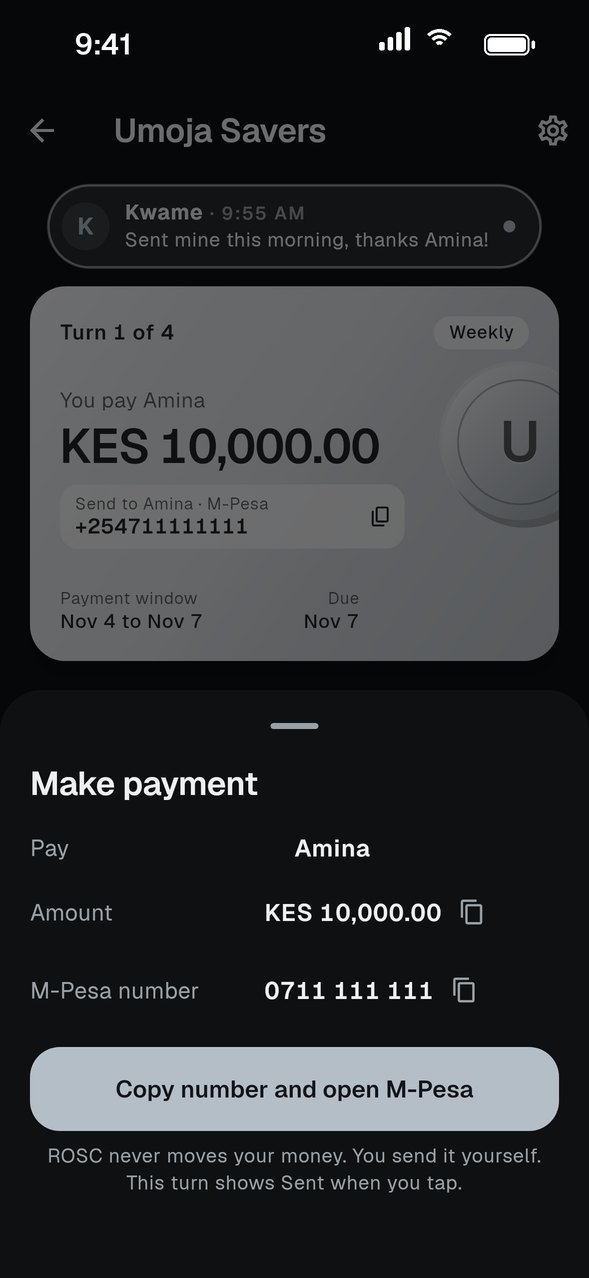
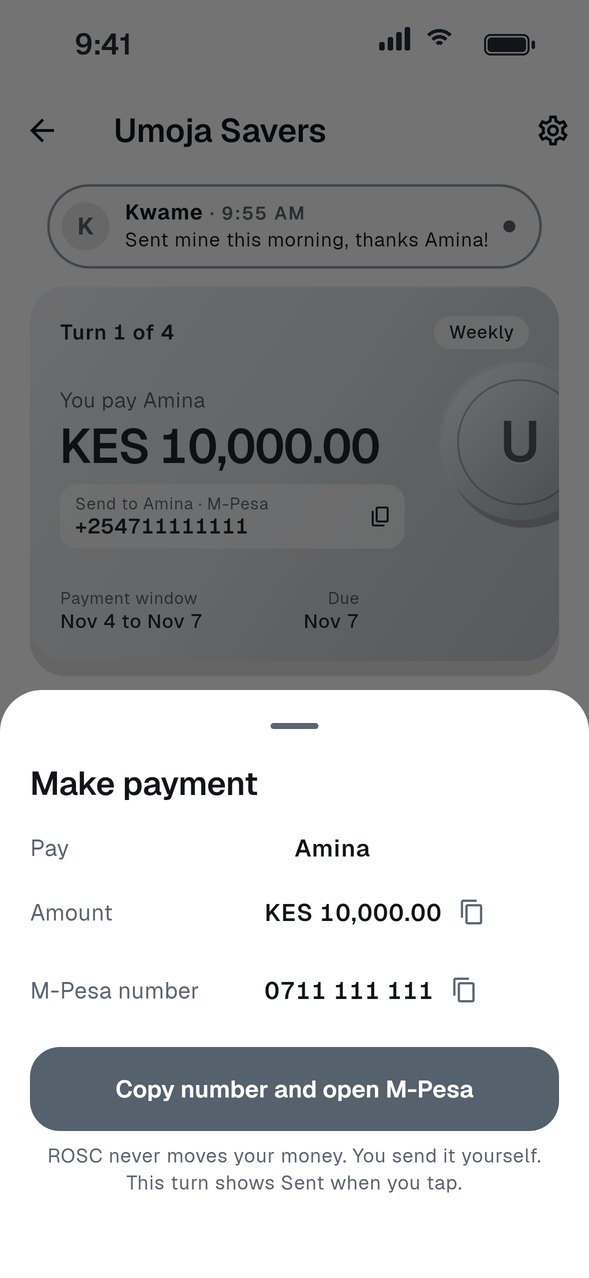
The card shows who receives this turn, how much you pay and the due date. Payments open three days before it is due.
Tap Make payment
A sheet shows who you are paying, the amount and their e-Transfer email or M-Pesa number. ROSC copies the details and opens your bank app, or the M-Pesa menu on your phone.
Send it from your own app
Finish the payment in your bank or M-Pesa. ROSC never moves the money. Your turn shows Sent as soon as you tap.
Say if it went through
About ten minutes later ROSC asks, Payment started. Did it go through? Tap Yes to keep it as Sent, or Not yet, take me back to open your bank app again.
Wait for the receiver
The receiver confirms when the money arrives. Until then it stays Sent.
GOOD TO KNOW
- ROSC never holds your money and does not move it. It records that you sent it.
- Pay inside the payment window so the receiver has the money on time.